Boost customer engagement, clear inventory faster, and discover your product's
true market value with the most powerful auction tool available on Shopify.
Active Store
Avg Rating
Verified Views
Bids Placed
Everything you need to run high-converting auctions directly from shopify.
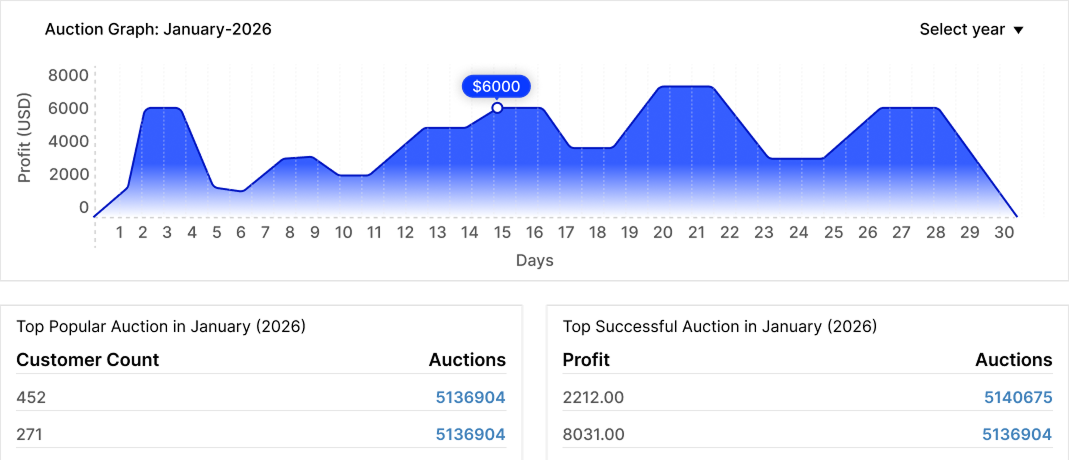
Provide a clear view of live, upcoming, and completed auctions, along
with monthly profit insights for easy performance tracking.
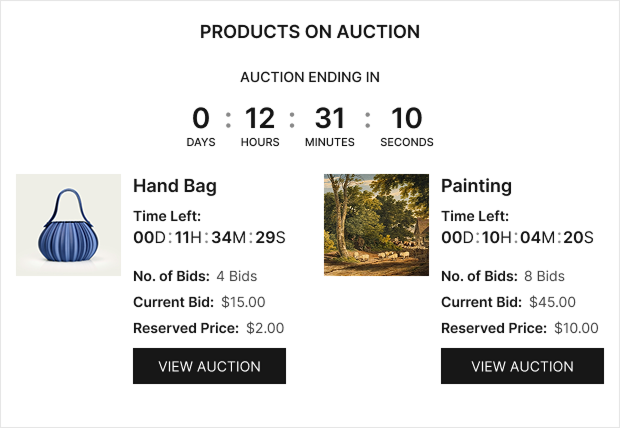
Displays all active auction products with key details like time remaining,
current bid, reserve price, and total bids.
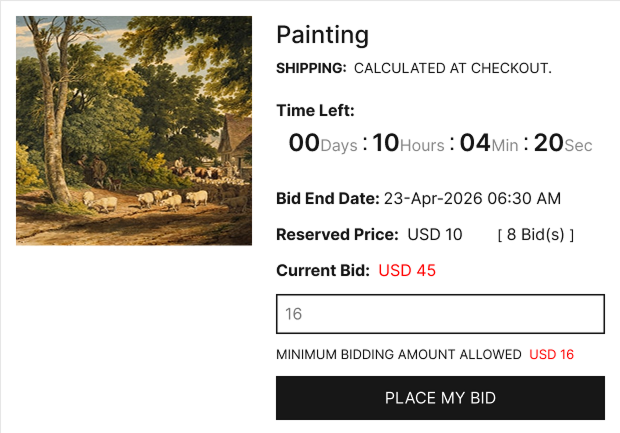
Shows detailed auction info, including time left, current bid, reserve price,
total bids, and an option to place bids easily.
We've thought of everything to make your shop's auctions seamless and profitable.
Give outbid users a fair chance to bid again.
Allows automatic bidding on behalf of users up to their set limit.
Let users participate with flexible bidding rules similar to joining fees.
Send real-time WhatsApp updates with outbid alerts, leading status, and auction results.
Automatically charge customers once they win an auction.
Transparent log of all bid activity builds trust with your bidders.
Dynamic timers create FOMO and urgency to drive bidding competition.
Don't sell for less than what your product is worth. Set hidden minimums.
Drive prices up with smart increment rules and automatic bid steps.
Keep bidders engaged with automatic outbid and auction-end notifications.
Allow customers to track, edit, and manage their bids in real-time.
Seamless auction experience across all device sizes and platforms.
Reach a global audience with seamless multi-language support.
Support multiple currencies for a seamless global shopping experience.
Enhance communication with real-time alerts via Twilio & OAuth emails.
Get started in minutes with our simple setup
Install the app from Shopify Store and select products to sell via auction.
Set start prices, bid increments, and time durations for each auction lot.
Your auctions appear live on your store. Winners are chosen automatically.
Simple pricing that scales with your business
Perfect to get started
For growing stores
Scale your auctions
For high volume stores
You need to have a store on Shopify and click on the install button in the below-given link. Link . From there you will be redirected to the payment page for this app. Pay for it and you will see the app under the installed section of your Shopify store.
Configuring the Shopify Auction app will require a few minutes and attention of yours. Configuration of Shopify Auction is divided into five parts: General configuration, Auction configuration, Design configuration , Mail configuration and Label configuration . You have to configure each part as per your requirement and click on save to save the settings or changes done. For more details visit : http://webkul.com/blog/shopify-product-auction/
Shopify Auction App enables the feature of bid or auction on your ecommerce website. With this, the admin can enable the bidding feature on products he wants to go for auction and can monitor all the bids happening on the store from the app itself and much more. This magical app called Auction, which will enable the feature of bidding and auction of products on your ecommerce website. So don't wait, install the app & start Bidding.
Configuring the Shopify Auction app will require a few minutes and attention of yours. Configuration of Shopify Auction is divided into five parts: General configuration, Auction configuration, Design configuration , Mail configuration and Label configuration . You have to configure each part as per your requirement and click on save to save the settings or changes done. For more details visit : http://webkul.com/blog/shopify-product-auction/
For the products on which store owner wants to enable auction, the store owner will have to visit that product from Shopify backend’s product section and have to enable auction by clicking on the three dots on the top right. Once the auction is selected, that product will start getting reflected in the product section of the Shopify auction app and the auction can be configured from there.
If you need any kind of support/consultancy then please raise a ticket at http://webkul.uvdesk.com or drop a mail at shopify@webkul.com .